

 |
Index | ||

|
|||||||||||
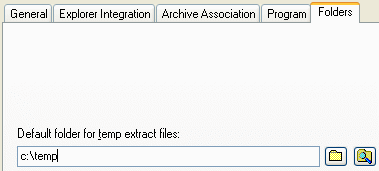
AnyZip allows you to view files from within an archive without having to extract them. However, while you may not physically extract files to a location to view them, AnyZip extracts them to a temporary folder from where these files can be deleted after you have viewed them. You can use the Folders tab to specify the location to which the temporary extraction is to be performed to enable viewing. Unless you are an experienced user, it is recommended that you retain the default value displayed here.
|
|||||||||||
| Copyright (C) 2001-2006 TurboSoft, Inc. | ||
 |
||
